

Description
Wi-Fi Installation & Setup
Key Features / Steps:
-
Equipment Selection – Choose a suitable wireless router or access point that supports the required Wi-Fi standard (e.g., Wi-Fi 6/6E).
-
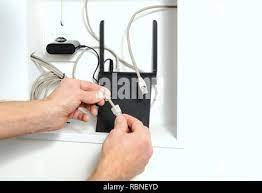
Connection to Internet Source – Connect the Wi-Fi router to an internet modem or broadband line using an Ethernet cable.
-
Power & Hardware Setup – Plug in and power on the router, ensuring all indicator lights show proper operation.
-
Network Configuration – Access the router’s admin panel (usually via web browser) to configure SSID (network name) and password.
-
Security Setup – Enable WPA2 or WPA3 encryption to secure the wireless network.
-
Frequency Band Setup – Configure 2.4 GHz and 5 GHz (or 6 GHz) bands for performance and compatibility.
-
Device Connection – Connect laptops, smartphones, smart TVs, and IoT devices to the Wi-Fi network.
-
Coverage Optimization – Adjust router placement or install Wi-Fi extenders/mesh nodes to eliminate dead zones.
-
Firmware Updates – Update router firmware to ensure security, stability, and performance improvements.
-
Testing & Troubleshooting – Verify signal strength, speed, and device connectivity; troubleshoot any connectivity or interference issues.
Reviews
There are no reviews yet.